BEST GAMES

Little Misfortune

Fran Bow 4

Little Misfortune 2

Among the Sleep
SIMILAR GAMES

Little Misfortune Full Game

Night in the Woods

Little Nightmares 2025

Sally Face




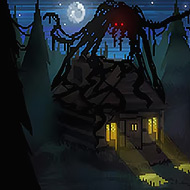



The Little Giant drops you into a pixel-art cave world where your size is your most important tool — and the thing most likely to get you killed. Built for the Game Off 2023 jam around the theme of Scale, this precision platformer tasks you with guiding the Little Giant through a series of increasingly demanding stages, unlocking new movement abilities as you go. What looks like a cheerful indie platformer at first glance turns out to require sharp reflexes, careful sizing decisions, and a willingness to restart a level more times than you’d like to admit.
| Genre | Precision Platformer |
| Platform | Browser (HTML5), Linux, Windows |
| Controls | Keyboard or Gamepad |
| Status | Prototype / Jam Release |
| Theme | Scale (Game Off 2023) |
The core mechanic is straightforward to describe but genuinely difficult to execute under pressure: you can grow or shrink at will using Q and E on keyboard, or the shoulder buttons on a gamepad. Shrinking lets you slip through narrow gaps and reduces how much momentum you carry, while growing gives you heavier landings and the ability to occupy larger platforms. The catch is that you can only switch size once the ability is unlocked, and even after unlocking it the game immediately starts building environments where the timing of a size shift mid-jump decides whether you clear an obstacle or reset from the last checkpoint.
Early in the game, the size mechanic feels almost optional — stages are tight but manageable, and you can often muscle through without committing to many switches. That changes fast. Once you pass the first few levels, the caves start demanding that you shrink while airborne, land in a small gap, then grow immediately to gain enough height for the next jump. This kind of chained sizing is where The Little Giant separates casual platformer fans from players who will genuinely grind a level for the satisfaction of a clean run.
The dash ability, unlocked separately from size switching, layers onto this further. Holding a direction and pressing the dash input while already managing size state means your hands are doing multiple things simultaneously. Gamepad play makes this more comfortable — the shoulder buttons for size and the trigger for dash sit in natural positions — which is why the game’s own notes strongly recommend a controller, especially for the later stages.
The most common mistake new players make is treating size switching as a last resort rather than as the default movement tool. If you are only swapping sizes when a gap forces you to, you are already behind the game’s design intent. The Little Giant is built around the idea that size is something you toggle constantly, the same way a platformer veteran constantly manages their jump arc or wall-jump timing. Waiting to see whether you need to shrink before actually committing to the switch is almost always too late.
A second early mistake is ignoring the developer time displayed on each level. The in-game dev time is there as a par score, and while beating it is not required to progress, it serves as a calibration tool. If you finish a level significantly over the dev time, that is a signal that you are taking inefficient paths or wasting movement opportunities. Speedrun-minded players in the community tend to treat these times as the real challenge after completing the stages normally.
There is also a known technical issue worth understanding before you start: the original Windows build had a crash bug when transitioning to the second level, related to a Godot engine bug in the version used during the jam. A debug-mode build was uploaded afterward to fix it with no gameplay changes. If you hit a crash at that point, switching to the updated Windows build rather than the browser version resolves it. Linux players and browser players generally do not encounter this.
Once both size switching and the dash are available, The Little Giant opens up a movement vocabulary that the game never fully explains. Players who dig into the physics discover that dashing while small covers less ground but allows quicker repositioning in confined spaces, while dashing while large carries significantly more horizontal distance. This asymmetry is what the later cave sections are built around — you are not just pressing dash when you need speed, you are selecting a size that fits the distance you need to cover.
There is a specific moment in the later stages where a vertical shaft with alternating platform widths forces you to size-switch twice within a single jump’s duration while also timing a dash at the apex. Players who have worked through this section know the visual cue — a particular set of differently-colored tiles that signals the shaft is coming. Once you recognize it, your hands start setting up the input sequence almost automatically. That moment of reading the environment and preparing a multi-step input chain before you even reach the obstacle is what precision platformer players describe as the game clicking.
The community around The Little Giant is small given its jam origins, but comments consistently mention the dev times as the meta-game that keeps people returning. Beating a dev time requires routing the level — choosing the fastest sizing sequence rather than the safest one — which is a different skill from simply completing the stage. Players who enjoy that kind of optimization have found genuine replay value in what is technically a prototype release.
The Little Giant has two documented physics quirks that are worth knowing about before they surprise you mid-run. First, the player character can behave strangely if you grow into a space that is too small to contain the larger size. The game does not always handle the resulting overlap cleanly, and you may find yourself clipped into geometry or launched in an unintended direction. Second, and somewhat counterintuitively, the game can also allow the character to shrink in positions where it had previously been able to grow — meaning the size state and the collision system do not always agree about what is possible at a given point in space.
These are bugs carried forward from the jam deadline rather than intended design. They are infrequent in normal play, but in later levels where size switching happens rapidly and in tight quarters, you may occasionally trigger one. The fix when it happens is the restart button — R on keyboard, Triangle or Y on a gamepad — which resets the level without needing to navigate any menus. Experienced players keep a finger near that button as a matter of habit.
Gamepad support in the browser version also varies depending on which browser and which controller you are using, with some combinations not registering shoulder buttons correctly. The desktop build handles controller input more reliably. If shoulder-button size switching feels unresponsive in the browser, switching to keyboard Q and E is the faster fix, though it takes some adjustment if you have been using a controller.
Players who love Celeste or similar momentum-based precision platformers will feel at home here — the tagging of The Little Giant alongside Celeste in the community is not accidental, as both share a philosophy of building a tight movement system and then designing obstacles that demand mastery of it. Casual players looking for a low-stakes romp through pixel caves will enjoy the early levels but may hit a wall once the sizing puzzles start requiring multi-step inputs. That friction is honest: The Little Giant does not pretend to be something it is not.
Players who specifically enjoy jam games also find something genuinely impressive here given the one-month development window. The amount of mechanical depth packed into what the page lists as a prototype reflects the kind of focused design thinking that game jam deadlines tend to produce. The code is available on GitHub, so developers curious about how the size and collision systems are implemented can read through it directly.
The Little Giant does not have a persistent save file in the traditional sense given its jam prototype status. Progress through levels is tied to a single session. If you close the browser or desktop build mid-run, you will return to the beginning on relaunch. Each individual level does have checkpoint behavior within it, allowing you to restart from the last checkpoint rather than the very beginning of the stage after a death.
Keyboard play is fully supported using WASD or arrow keys for movement, spacebar for jump, Q and E for size switching once unlocked, and CTRL or SHIFT with a held direction for the dash. The game page specifically notes that gamepad is strongly recommended, and the reason becomes clear in the later stages where shoulder buttons for size switching feel more natural during rapid multi-input sequences. That said, many players complete the game on keyboard without issue — it simply requires more deliberate finger placement than a controller does.
The dev time is a target time displayed on each level, set by the developer during the game jam. It functions as an optional challenge par score rather than a requirement for progression — you advance through levels regardless of how long you take. Players who choose to chase these times find that beating the dev effectively requires routing each level to minimize size-switching overhead and finding the fastest viable path, which is a meaningfully different challenge from completing the stage safely. A reviewer noted the dev times made them want to replay levels specifically to match or beat them.
The Little Giant is the kind of game a precision platformer player picks up expecting a pleasant jam entry and ends up spending an hour replaying the same level trying to shave seconds off their run. The size-switching mechanic, simple on its face, generates enough depth through the cave stage design that by the time you reach the sections demanding mid-air size changes chained into dashes, the movement vocabulary feels genuinely earned. The dev times are a clever addition that transforms a short prototype into something with a cleaner finish line for players who want one.